








IT Asset Lifecycle Management for BPO Companies in the Philippines: From Device Deployment to Secure Retirement
Why BPOs Need a Different Approach to IT Asset Management?
Few industries manage technology assets at the scale of the Business Process Outsourcing (BPO) sector.
A typical BPO operation may issue hundreds or even thousands of laptops, desktops, monitors, headsets, and mobile devices across multiple sites. Employee turnover, client transitions, technology refresh programs, office expansions, and hybrid work arrangements create constant movement of IT assets throughout the organization.
While many organizations focus heavily on purchasing and deploying technology, the greater challenge often comes later: managing those assets throughout their entire lifecycle.
For many BPOs, retired devices accumulate in stockrooms, former project spaces, and storage areas. Equipment that was once carefully tracked suddenly disappears from management attention after being replaced.
This is where risk begins.
The Hidden IT Asset Lifecycle Problem in Many BPOs
When organizations discuss IT Asset Management, the conversation often focuses on procurement and deployment.
However, the end-of-life stage is where many BPOs lose control.

Retired assets shouldn’t become forgotten assets. A structured IT Asset Lifecycle Management strategy helps organizations maintain visibility, security, compliance, and control from deployment through retirement.

BPO Challenge #1: High Employee Turnover Creates Asset Accumulation
High attrition rates are not unusual within the BPO industry. Every departure and every onboarding cycle generates asset movement. Without a structured lifecycle process, organizations often experience:
- growing volumes of unused laptops
- incomplete asset records
- duplicate purchases
- storage space issues
- escalating inventory management costs
Many businesses unknowingly spend significant amounts storing retired equipment that has little operational value.
Lifecycle Best Practice
BPOs should establish clear retirement triggers.
For example:
- device reaches replacement age
- device fails performance criteria
- client program ends
- office closes or relocates
- technology standard changes
Once triggered, assets should move into a formal retirement workflow rather than remaining in unmanaged storage.
BPO Challenge #2: Client Audits and Security Requirements
Many BPO organizations support clients in banking, healthcare, technology, telecommunications, and eCommerce sectors.
These clients frequently require strict controls around:
- data protection
- asset tracking
- secure destruction
- chain of custody
- audit documentation
A client’s question may be simple:
“Show me how our project laptops were retired.”
The answer is often not. If an organization cannot demonstrate where assets went, who handled them, and how data was destroyed, the disposal itself becomes a compliance issue.
Lifecycle Best Practice
Every retired asset should be:
- inventoried
- tracked
- collected securely
- processed under chain of custody
- supported by disposal documentation
The objective is not merely disposal.
The objective is defensible audit evidence.
BPO Challenge #3: Office Relocations and Workplace Consolidations
Many BPOs regularly expand, reduce, consolidate, or relocate operations. This creates a unique challenge because workplace transition and technology retirement often occur simultaneously.
For example:
A company may relocate 1,500 employees to a new facility.
At the same time it may need to:
- retire old laptops
- clear server rooms
- remove obsolete monitors
- dispose of damaged equipment
- reinstall active technology
- clear storage areas
Many organizations treat these as separate projects. The result is multiple vendors, overlapping responsibilities, and increased project complexity.
Lifecycle Best Practice
Workplace transition and IT asset retirement should be planned together.
By integrating office relocation, technology decommissioning, storage, and disposal activities under one project framework, organizations gain:
- clearer accountability
- lower coordination effort
- improved project visibility
- faster site clearance
BPO Challenge #4: ESG and Sustainability Expectations
Global clients increasingly expect their outsourcing partners to demonstrate responsible environmental practices. Electronic waste management is becoming part of broader ESG discussions. Many organizations can state that assets were recycled.
Fewer can demonstrate:
- how much material was diverted from landfill
- how many devices were recovered
- what environmental outcomes were achieved
- how IT asset retirement supports sustainability targets
Lifecycle Best Practice
Retired technology should be evaluated through a hierarchy:
- Reuse
- Redeployment
- Recovery
- Recycling
- Disposal
This approach supports both sustainability objectives and financial outcomes.
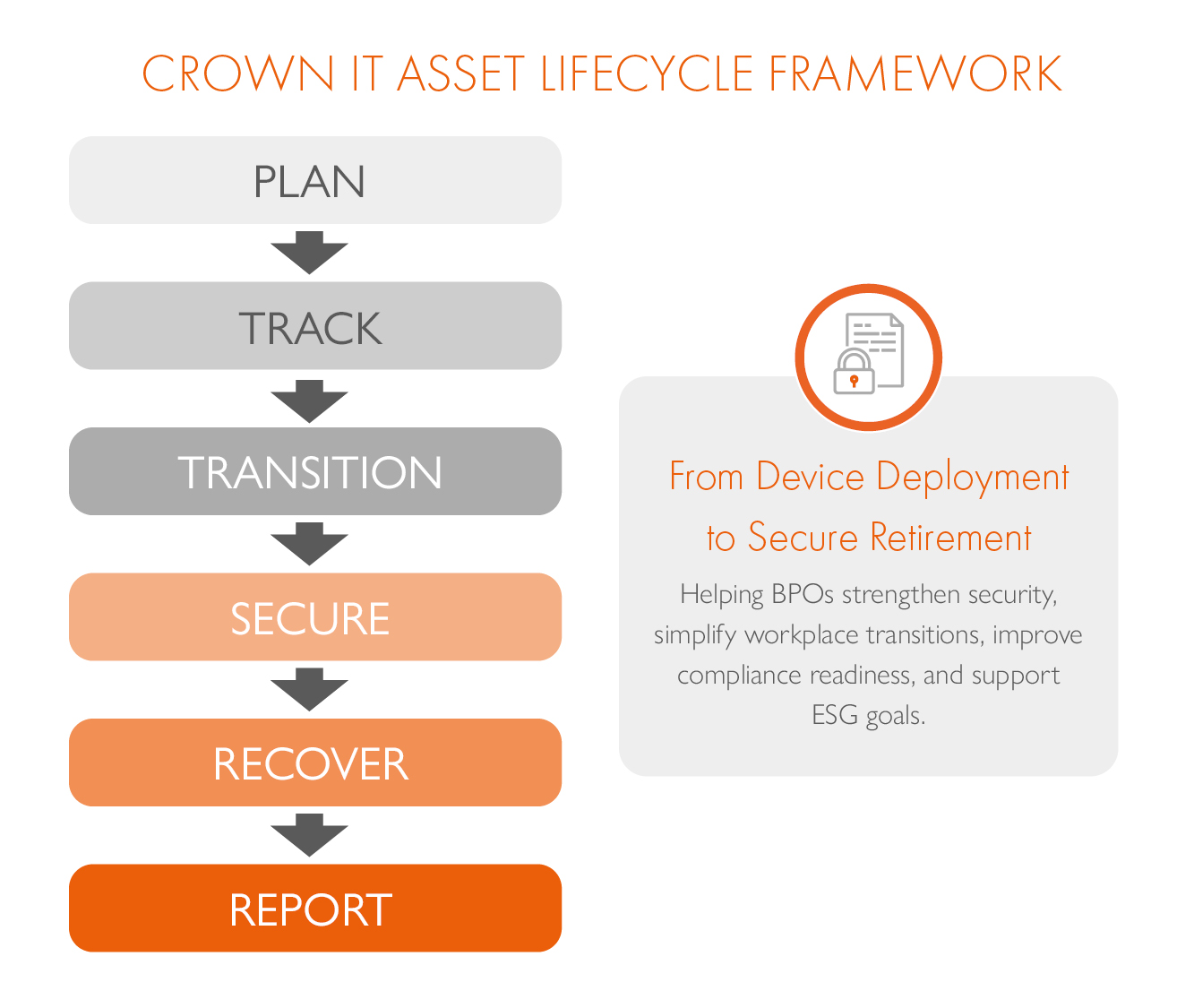
What a Mature IT Asset Lifecycle Program Looks Like in a BPO
How Crown Workspace Philippines Supports BPO Organizations
For many BPOs, the greatest technology risk is not during deployment.
It is during retirement.
Devices that are no longer in active use often receive the least attention while creating the greatest uncertainty around security, compliance, cost, and sustainability.
Organizations that develop a structured IT Asset Lifecycle Management strategy can improve governance, reduce operational risk, support client requirements, and create a stronger foundation for future workplace and technology initiatives.
Crown Workspace Philippines helps BPO organizations manage technology assets from workplace deployment through secure retirement.
Unlike traditional ITAD providers that focus primarily on disposal, Crown Philippines supports the broader workplace lifecycle through:
This integrated approach helps BPO organizations reduce vendor complexity while maintaining security, compliance, and operational efficiency.
Green office or green bluff: What actually makes an office “green”?
Download the full whitepaper to discover how your organisation can move beyond buzzwords and design offices that deliver for people, planet, and performance.
Get the whitepaper now
Related stories

Office relocation is often viewed as a facilities project. In reality, it’s one of the most important IT asset management events an organization will experience. When businesses relocate offices, countless decisions must be made. Floorplans need approval. Internet connectivity must be arranged. Furniture needs to be moved. Employees must be transitioned to the […]

How to use the final months of 2026 to make better decisions as office rentals tighten globally A familiar scene plays out in offices around the world. The lease date is fixed, the new floorplan looks finished, and labeled crates have started appearing beside desks. Then someone asks when the servers will be disconnected, who […]

Hybrid attendance is increasingly concentrated into a few busy days. Planning around those peaks can help organizations use space more effectively without simply adding more desks. At 10:15 on a Wednesday, the office feels full. Every small meeting room is booked, quiet booths are occupied and two teams are trying to find desks near each […]