







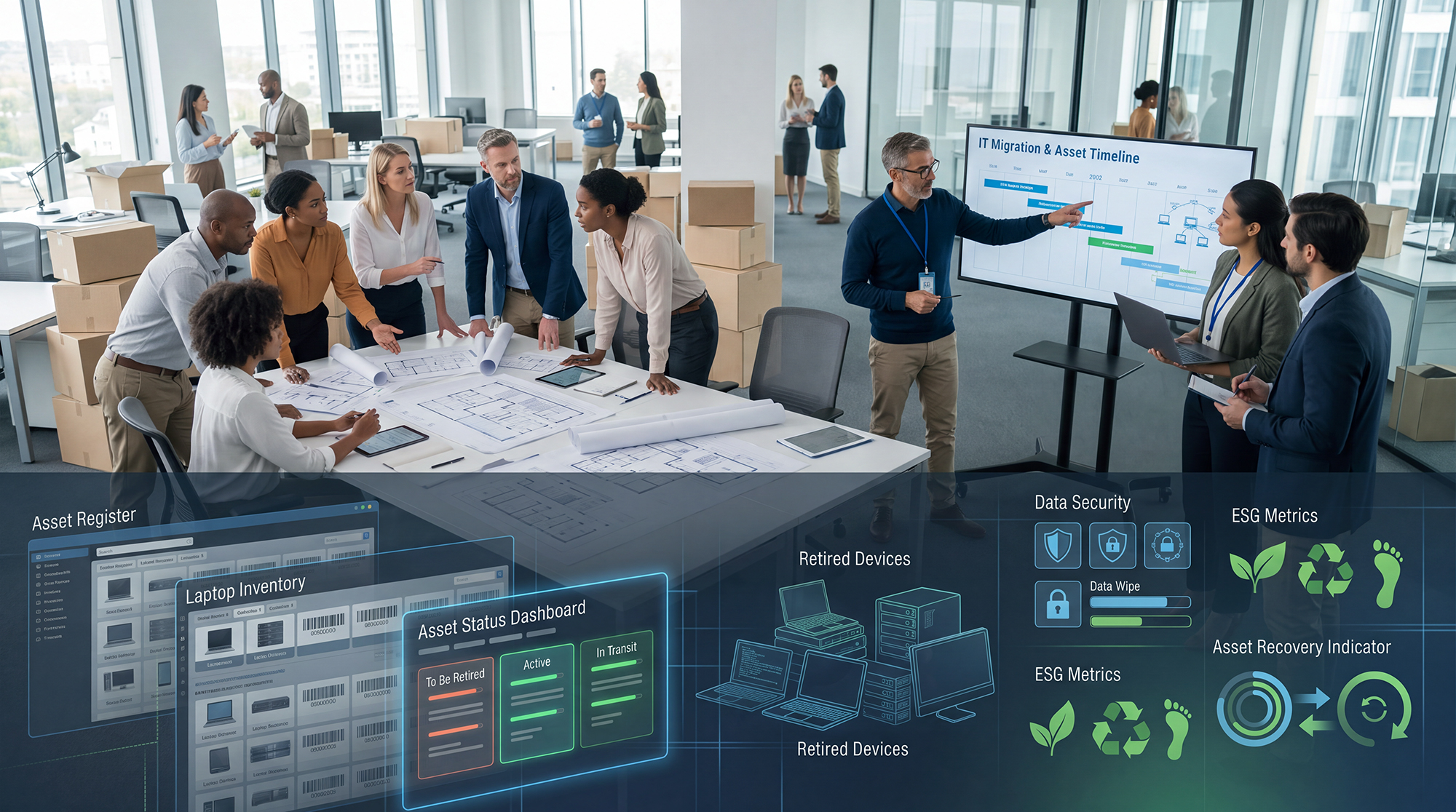
Office Relocation in the Philippines: The IT Asset Risks Most Organizations Overlook
Office relocation is often viewed as a facilities project. In reality, it’s one of the most important IT asset management events an organization will experience.
When businesses relocate offices, countless decisions must be made. Floorplans need approval. Internet connectivity must be arranged. Furniture needs to be moved. Employees must be transitioned to the new workplace with minimal disruption.
Yet, amid the logistical complexity, one critical area often receives far less attention than it deserves:
What happens to the organization’s existing technology assets?
Laptops, desktops, monitors, docking stations, servers, network equipment, storage devices, and retired technology often surface during workplace relocation projects. In many cases, organizations discover assets they forgot they owned, devices sitting in storage rooms for years, and equipment that no longer serves any operational purpose.
The result is a missed opportunity to reduce costs, strengthen security, recover value, and improve asset visibility.
Organizations that treat office relocation as a broader workplace transition initiative often achieve far better outcomes than those that focus solely on moving physical items from Point A to Point B.
Why Office Relocations Reveal Hidden Technology Challenges
A workplace relocation forces organizations to assess everything they currently own.
Assets that may have remained hidden in cupboards, storerooms, server rooms, and unused office spaces suddenly become visible as teams prepare for the move.
Common discoveries include:
- Retired laptops from previous refresh projects
- Unused desktop PCs
- Legacy servers awaiting retirement
- Network equipment from past upgrades
- Surplus monitors and peripherals
- Technology assets with unclear ownership
- Devices that are no longer listed in active inventories
For many organizations, office relocation is the first time these assets are reviewed in years. Unfortunately, the longer assets remain unmanaged, the greater the risks become.
The Most Common Mistake: Moving Everything
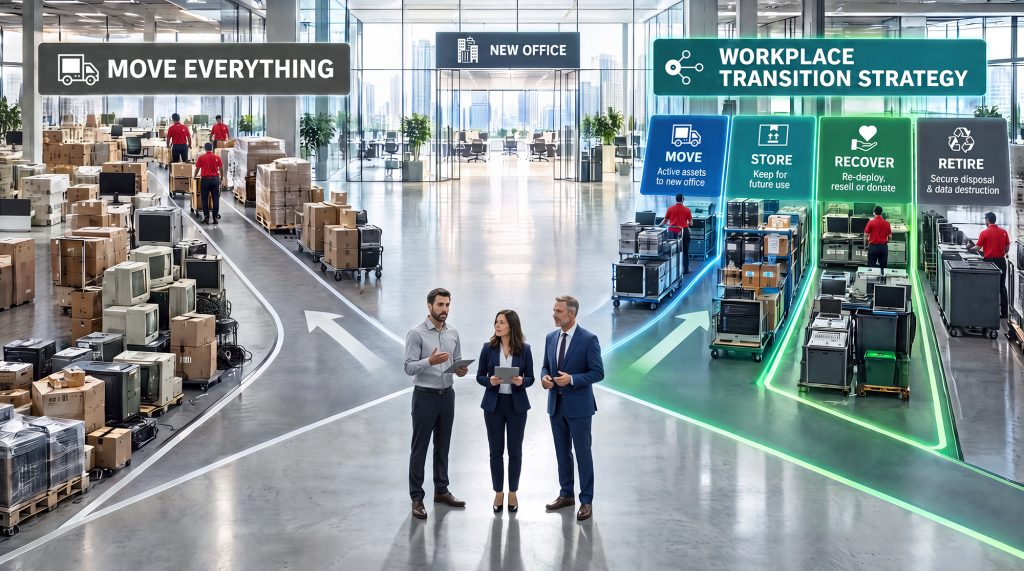
When project timelines become tight, teams often take the easiest route: Move everything.
At first glance, this may seem practical.
However, relocating obsolete equipment into a new workplace often creates additional costs and unnecessary complexity.
Organizations frequently spend money transporting, storing, managing, and securing assets that no longer deliver business value.
These assets continue to consume:
- Office space
- Storage capacity
- Management effort
- Inventory resources
- IT support attention
Most importantly, they continue to create uncertainty.
Questions typically emerge after the relocation is completed:
- Why are these assets still here?
- Who owns them?
- Do they contain data?
- Can they be reused?
- Should they have been disposed of years ago?
A physical move does not solve an asset management problem. It simply moves the problem to a new address.
Risk #1: Lost Asset Visibility
Many organizations maintain robust controls overactive technology assets.
The challenge begins when devices leave active service.
During office relocation projects, it is common to discover equipment that:
- Is missing from the asset register
- Has outdated ownership records
- Has no documented retirement plan
- Cannot easily be linked to a department or project
Without proper visibility, decision-making becomes difficult.
Teams often spend valuable project time trying to determine:
- Whether equipment is still required
- Whether assets contain sensitive information
- Whether devices remain under support contracts
- Whether equipment should be moved, stored, or retired
Best Practice
Before relocation begins, conduct a comprehensive asset review.
Classify assets into four categories:
- Move
- Assets required for day-to-day operations.
- Store
- Assets intended for future use.
- Recover
- Assets that may retain commercial value.
- Retire
- Assets that have reached end-of-life.
This simple exercise immediately improves visibility, reduces clutter, and helps organizations make more informed workplace decisions.
Risk #2: Data Security During Workplace Relocation
Technology assets rarely stop containing information simply because they are no longer in use.
Retired devices may still contain:
- Customer data
- Employee information
- Financial records
- Intellectual property
- Operational documentation
- Confidential business information
The challenge is that workplace relocation projects are often driven by operational deadlines.
As teams focus on moving into a new office, retired devices can be overlooked.
- A laptop that has been sitting in storage for three years may still contain sensitive information.
- A decommissioned server may still hold historical records.
- A retired hard drive may still contain critical business data.
The risk is not the relocation itself.
The risk is failing to properly assess and control data-bearing devices throughout the relocation process.
Best Practice
As part of relocation planning, identify all devices that contain or may contain data.
Create a dedicated retirement workstream covering:
- Data review
- Data sanitization
- Secure erasure
- Media destruction
- Documentation requirements
Technology retirement should never be treated as an afterthought during office relocation projects.
Risk #3: Technology Refreshes and Office Moves Often Happen Together
Many organizations use office relocation as an opportunity to modernize technology.
This often includes:
- Replacing aging laptops
- Refreshing desktop equipment
- Upgrading meeting room technology
- Retiring old networking infrastructure
- Consolidating assets from multiple sites
While this creates opportunities for workplace improvement, it also generates large volumes of retired equipment.
Consider a typical example:
- A business relocates 500 employees to a new workplace.
- At the same time, it replaces hundreds of laptops and monitors that no longer meet organizational standards.
- Suddenly, the relocation team is not only managing a move.
- They are also managing technology retirement.
- Without a structured strategy, these projects can become unnecessarily complex.
Best Practice
Treat IT asset retirement as a planned component of the workplace transition program.
A coordinated approach can help organizations:
- Simplify project management
- Improve asset accountability
- Reduce relocation costs
- Accelerate workplace readiness
- Improve governance and reporting
Risk #4: Missed Asset Recovery Opportunities
One of the most overlooked aspects of office relocation is asset recovery.
Many organizations assume retired equipment has no value.
In reality, certain assets may still have:
- Remarketing value
- Refurbishment potential
- Redeployment opportunities
- Residual market demand
Unfortunately, equipment that sits in storage often loses value over time.
A laptop that might have generated recovery value six months ago may generate significantly less value after another year of inactivity.
The same applies to furniture, workplace equipment, and technology assets.
Best Practice
Assess retired assets before relocation activities begin.
Understanding potential recovery value early in the project allows organizations to:
- Offset relocation costs
- Reduce waste
- Improve sustainability outcomes
- Improve overall project ROI
Risk #5: Sustainability Expectations Continue to Grow
Workplace sustainability is no longer limited to recycling paper and reducing energy consumption.
Many organizations are now expected to demonstrate responsible management of workplace and technology assets.
Office relocation projects create a unique opportunity to support sustainability objectives.
Instead of simply discarding surplus assets, organizations can consider:
- Reuse
- Refurbishment
- Redistribution
- Recovery
- Recycling
Increasingly, stakeholders want visibility into questions such as:
- What assets were reused?
- What equipment was recovered?
- How much material avoided landfill?
- What sustainability outcomes were achieved?
The answer to these questions can have a direct impact on ESG initiatives and corporate sustainability reporting.
Best Practice
Build sustainability objectives into relocation planning from the outset.
The most successful projects consider asset recovery and responsible disposal before relocation activities begin.
Beyond Moving Offices: Workplace Transition Management
Progressive organizations no longer view relocation as a stand-alone moving exercise.
Instead, they treat relocation as part of a broader workplace transition strategy.
This approach combines:
- Commercial moving
- Office relocation
- Workplace reinstatement
- Technology relocation
- Asset inventory management
- Secure data destruction
- IT Asset Disposition (ITAD)
- Asset recovery
- E-waste management
- Storage solutions
into a coordinated framework.
The result is:
✅ Better asset visibility
✅ Stronger compliance readiness
✅ Reduced operational complexity
✅ Improved sustainability outcomes
✅ Greater value recovery
✅ More successful workplace transitions
How Crown Workspace Philippines Helps
Crown Workspace Philippines helps organizations manage workplace transition projects from planning through completion.
By combining workplace relocation expertise with technology, asset management, and sustainability capabilities, organizations gain a more integrated approach to workplace change.
Our solutions include:
- Workplace Transition & Commercial Moving
- Manage office relocations, workplace consolidations, and business moves with minimal disruption.
- Office Decommissioning & Reinstatement
- Prepare sites for turnover, lease exits, and workplace transitions.
- IT Relocation Services
- Safely move technology infrastructure and business-critical equipment.
- IT Asset Disposition (ITAD)
- Retire end-of-life technology securely and responsibly.
- Secure Data Destruction
- Protect sensitive information through certified destruction and documented chain-of-custody processes.
- Asset Recovery Programs
- Maximize value from retired workplace and technology assets.
- E-Waste Management
- Support environmental and sustainability objectives through responsible disposal and recycling.
- Storage & Asset Management
- Maintain control and visibility over workplace assets throughout transition projects.
Planning an Office Relocation? Start with Your Assets.
The success of an office relocation is not measured solely by whether everything arrives at the new office on time.
It is measured by the decisions organizations make about the assets they discover along the way.
Every office move presents an opportunity to:
- Improve asset visibility
- Reduce security risks
- Eliminate unnecessary costs
- Recover value
- Support sustainability goals
- Create a more efficient workplace
The organizations that achieve the best outcomes are those that view relocation not as a moving project, but as a workplace transition opportunity.
Talk to Crown Workspace Philippines
Planning an office relocation, workplace consolidation, lease exit, or technology refresh?
Speak with our team to discover how an integrated approach to workplace transition and IT asset lifecycle management can help reduce risk, improve efficiency, and create better business outcomes.
Book a Workplace Transition Assessment today.
Green office or green bluff: What actually makes an office “green”?
Download the full whitepaper to discover how your organisation can move beyond buzzwords and design offices that deliver for people, planet, and performance.
Get the whitepaper now
Related stories

How to use the final months of 2026 to make better decisions as office rentals tighten globally A familiar scene plays out in offices around the world. The lease date is fixed, the new floorplan looks finished, and labeled crates have started appearing beside desks. Then someone asks when the servers will be disconnected, who […]

Hybrid attendance is increasingly concentrated into a few busy days. Planning around those peaks can help organizations use space more effectively without simply adding more desks. At 10:15 on a Wednesday, the office feels full. Every small meeting room is booked, quiet booths are occupied and two teams are trying to find desks near each […]
Why BPOs Need a Different Approach to IT Asset Management? Few industries manage technology assets at the scale of the Business Process Outsourcing (BPO) sector. A typical BPO operation may issue hundreds or even thousands of laptops, desktops, monitors, headsets, and mobile devices across multiple sites. Employee turnover, client transitions, technology refresh programs, office expansions, […]